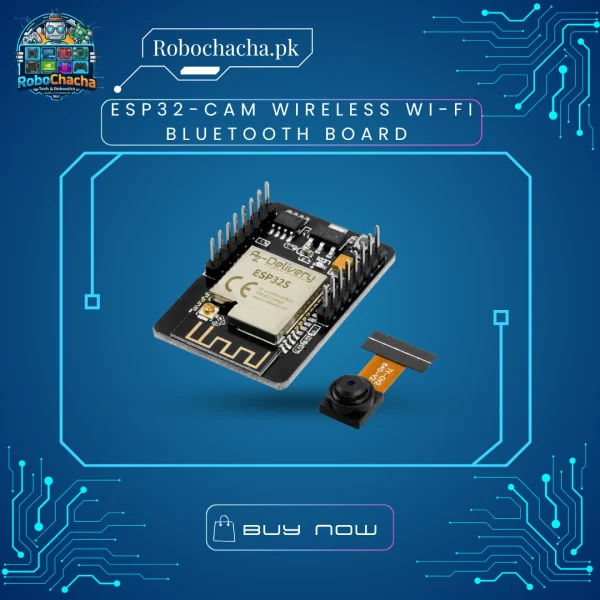
The standalone ESP32-CAM is a highly competitive, small-form-factor camera development board that can operate independently as a minimum system. It integrates the dual-core Xtensa 32-bit LX6 processor with a 2-Megapixel OV2640 camera sensor.
This bareboard version is highly prized by advanced makers and commercial prototype designers. By omitting the bulky USB circuitry found on standard development boards, it minimizes both spatial footprint and idle power draw, allowing your remote battery-operated surveillance or machine-vision projects to run significantly longer on a single charge.
Key Features
Ultra-Compact Form Factor: Measuring just 40mm x 27mm, it easily fits into miniature smart-home fixtures or small robotic gantries.
OV2640 Sensor Included: Ships with a fully detachable 2MP camera module supporting standard image formats (JPEG, BMP, Grayscale).
Onboard MicroSD Slot: Integrated card reader handles local image capture logging and data storage up to 4GB.
Integrated Bright Flash: Features an onboard high-intensity SMD LED to illuminate dark environments for night-time image capture.
Low Power Modes: Supports multiple sleep states, dropping power consumption down to a few microamps during deep sleep cycles.
Technical Specifications
Feature
Specification
Processor Core
ESP32-S Dual-Core 32-bit LX6 (Up to 160MHz)
Memory Architecture
520 KB Internal SRAM + External 4MB PSRAM
Camera Interface
Standard 24-pin FPC connector (OV2640 included)
Onboard Flash LED
Yes (Connected to GPIO 4)
Supported Outputs
Wi-Fi 802.11b/g/n + Bluetooth 4.2 BR/EDR and BLE
Programming Port
Requires external FTDI Serial Adapter (Pin headers breakout)
Operating Voltage
5V DC Input recommended (Can accept 3.3V with stable regulation)
Programming Note for Customers
To program this standalone module, your customers will need to connect an external FTDI USB-to-TTL Adapter.
Connect TX to RX and RX to TX.
Connect 5V and GND to supply power.
CRITICAL: Short GPIO 0 to GND using a jumper wire before powering on to put the board into flashing/download mode. Remove the jumper once flashing is complete to let the code run.
Weight
2000 g
Dimensions
15 × 10 × 5 cm
Reviews
There are no reviews yet.
Be the first to review “ESP32-CAM Wireless Wi-Fi Bluetooth Board with OV2640 2MP Camera Module for Arduino & IoT”Cancel Reply



Reviews
There are no reviews yet.