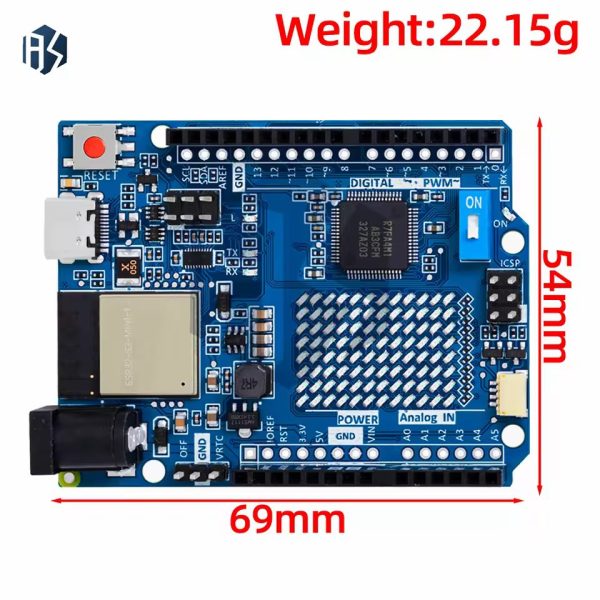
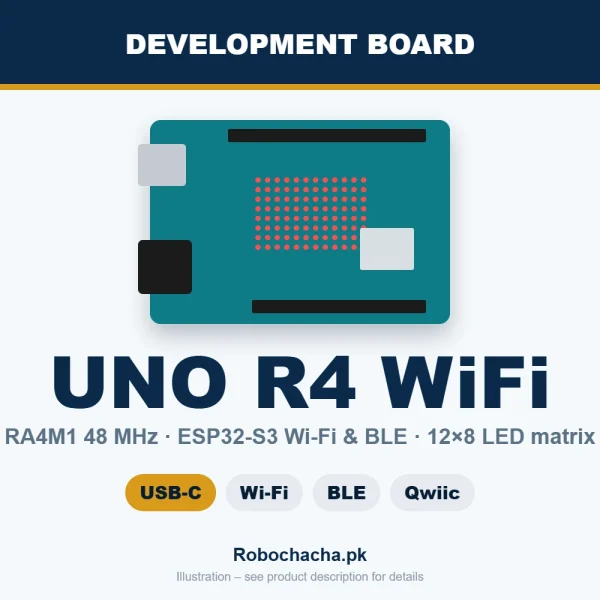
This UNO R4 WiFi compatible board follows the design of the Arduino UNO R4 WiFi, the newest UNO: the same shape and 5 V pinout as the UNO R3, but with a 32-bit Renesas RA4M1 processor, an ESP32-S3 for Wi-Fi and Bluetooth, and a built-in 12 × 8 LED matrix. Most UNO shields and sketches work straight away, and you can now build IoT projects without extra modules. Buy it at Robochacha.pk for , with Cash on Delivery anywhere in Pakistan, or pick it up from our Hall Road, Lahore shop.
Key features
32-bit Arm Cortex-M4 at 48 MHz with 256 KB flash and 32 KB SRAM – 8× the flash and 16× the RAM of the UNO R3.
Wi-Fi and Bluetooth LE via an ESP32-S3-MINI-1 co-processor, supported by Arduino Cloud.
12 × 8 LED matrix for icons, scrolling text and animations.
Qwiic connector (3.3 V I2C) for plug-in sensors.
New peripherals: 14-bit ADC, 12-bit DAC, op-amp, CAN bus, real-time clock and USB HID (keyboard/mouse).
USB-C and a 6–24 V DC input, still 5 V logic like the UNO R3.
UNO R4 WiFi specifications
This is a compatible board built to the open-source UNO R4 WiFi design, not an original Arduino-branded board. It programs exactly like the original in Arduino IDE.
SKU
ABX00087
Main processor
Renesas RA4M1 (Arm Cortex-M4), 48 MHz
Memory
256 KB flash, 32 KB SRAM
Wireless
ESP32-S3-MINI-1 – Wi-Fi 4 (2.4 GHz) and Bluetooth 5 LE
Operating voltage
5 V
Input voltage (VIN / DC jack)
6 – 24 V
Digital I/O
14 pins (PWM on D3, D5, D6, D9, D10, D11)
Analog inputs
6 (A0 – A5), up to 14-bit ADC
DAC
12-bit on A0
Other
Op-amp on A1–A3, CAN, RTC, USB HID
Current per I/O pin
8 mA max
LED matrix
12 × 8 red LEDs
Connectors
USB-C, Qwiic I2C (3.3 V), ICSP, ESP32 header
Form factor
UNO (68.6 × 53.4 mm)
UNO R3 vs UNO R4 Minima vs UNO R4 WiFi
UNO R3
UNO R4 Minima
UNO R4 WiFi
Processor
ATmega328P 16 MHz
RA4M1 48 MHz
RA4M1 48 MHz
Flash / RAM
32 KB / 2 KB
256 KB / 32 KB
256 KB / 32 KB
Wi-Fi / Bluetooth
No
No
Yes (ESP32-S3)
LED matrix
No
No
12 × 8
USB
USB-B
USB-C
USB-C
Max input
12 V recommended
24 V
24 V
Important: each I/O pin supplies at most 8 mA (the UNO R3 allowed 20 mA). Use a transistor, MOSFET or driver for LEDs strips, relays and motors.
Getting started
Install the Arduino UNO R4 Boards package from the Boards Manager in Arduino IDE 2.
Select Arduino UNO R4 WiFi, plug in USB-C and upload the Blink example.
Use the built-in Arduino_LED_Matrix and WiFiS3 libraries for the matrix and Wi-Fi.
Be the first to review “UNO R4 WiFi Compatible Board – Renesas RA4M1 48MHz, ESP32-S3 Wi-Fi & Bluetooth, 12×8 LED Matrix, USB-C (Arduino IDE)”Cancel Reply










Reviews
There are no reviews yet.